AI Small App
Building a small app no longer requires a development team. Describe what you want, and modern AI app builders generate the interface, logic, and backend for you. The rise of vibe coding tools has made this possible even for non-developers. This guide is about the product work Technexia does with early-stage teams, compares the strongest options for small projects, and answers common questions about skills, deployment, and integrations. Tools and pricing change quickly, so confirm details on each official site before committing.
What Are AI App Builders?
These tools turn plain-language prompts into working apps. Many act as full AI app development platforms, bundling code generation, hosting, authentication, and databases in one place. They typically handle:
- Interface: Screens, forms, and layouts generated from a description
- Logic: Workflows, calculations, and user actions
- Backend: Logins, data storage, and basic security
- Publishing: One-click deployment to a live link
Top AI App Builders for Small Projects
These no-code AI builders suit founders and non-developers:
- Lovable: A common default for non-technical founders, because it can set up a Supabase backend with login and database from chat
- Bolt.new: A browser-based builder that supports several frameworks, and its Bolt Cloud adds an integrated database and authentication
- Base44: A prompt-first builder with a backend included, acquired by Wix in 2025
Developers and technical founders may prefer these AI coding tools:
- v0 by Vercel: Strong for polished React and Next.js interfaces
- Replit: A browser workspace combining code, an AI agent, a built-in database, and deployment
- Cursor: An AI-powered code editor for people who want full control of the code
- Windsurf: A popular AI code editor and alternative to Cursor
- Claude Code: An agentic coding tool from Anthropic that works in your terminal
What Coding Skills Are Needed?
The right AI app builders match your skill level:
- No coding skills: Choose no-code AI builders with chat-based editing, and start with a simple tracker or form
- Some technical comfort: Try Replit or v0 to see and tweak the code as you go
- Developer experience: Use Cursor, Windsurf, or Claude Code to speed up work you already understand
Even with vibe coding tools, learn the basics: reading error messages, testing features, and checking security settings.
Which Tools Support Deployment?
Most leading AI app builders offer one-click publishing, though the details differ:
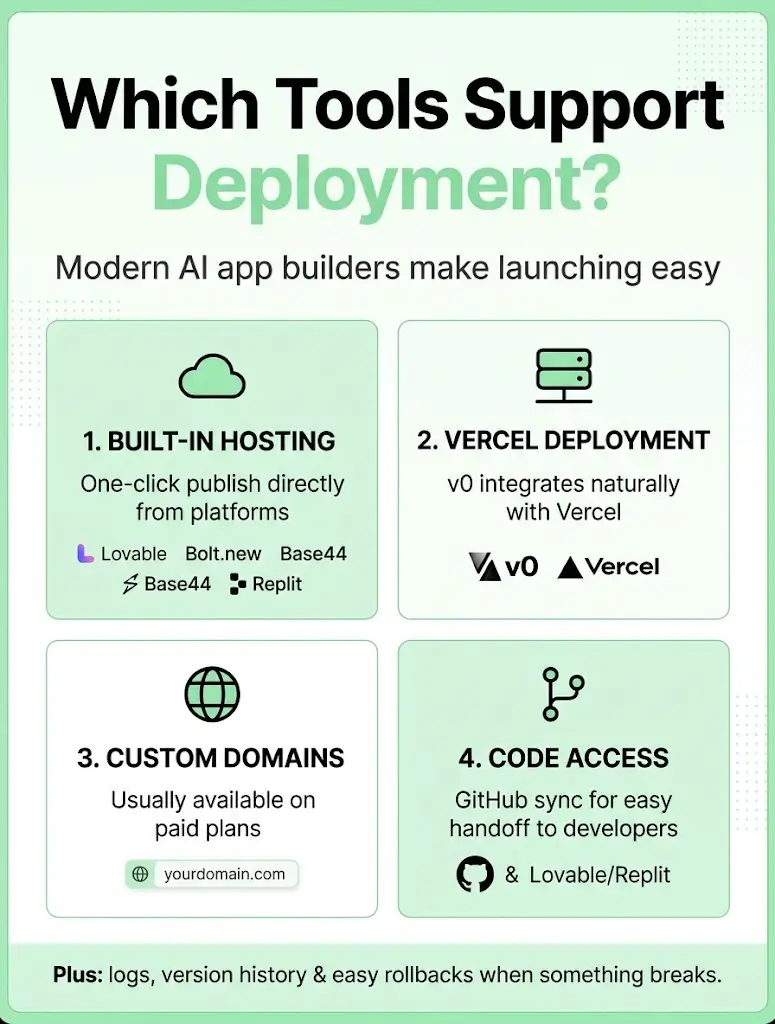
- Built-in hosting: Lovable, Bolt.new, Base44, and Replit can publish directly from the platform
- Vercel deployment: v0 fits naturally with Vercel hosting
- Custom domains: Usually available on paid plans
- Code access: Builders that sync real code to GitHub, such as Lovable and Replit, make it easier for a developer to take over later
The best AI app development platforms also provide logs, version history, and easy rollbacks when something breaks.
Which Platforms Integrate Databases and APIs?
Database and API support is where AI app builders differ most:
- Supabase: Many of these builders use Supabase underneath, which keeps your data portable if you switch tools
- Built-in databases: Bolt Cloud, Replit, and Base44 include storage without extra setup
- Payments: Stripe is commonly supported for subscriptions and checkout
- Custom APIs: Connect third-party services through prompts and secure environment variables
- Developer flexibility: AI coding tools can connect to almost any database or API you choose
Before you commit, build a real workflow and test logins, permissions, and your tenth edit, not just the first demo.
How Technexia Can Help
Technexia helps founders and teams choose the right AI app builders, turn prototypes into production-ready products, and add the security, integrations, and polish that small projects need. Whether you are validating an idea or strengthening an AI-generated app, Technexia offers practical, hands-on guidance.
Conclusion
The best AI app builders are the ones that match your skills, budget, and goals. Start with a small project, test it with real users, and upgrade your tools as the app grows. Ready to take your idea from prompt to product? Reach out to the Technexia team to plan your next step.
Frequently Asked Questions
Can I build a small app without coding?
Yes. Many tools let you build with plain language, though basic testing skills still help.
Which tool is best for a first project?
Start with a beginner-friendly option such as Lovable, Base44, or Bolt.new, and keep the first app simple.
How much do these tools cost?
Most offer free tiers with limits and paid plans for more usage. Check current pricing on each site.
Can I own and export my code?
Many tools support GitHub sync or code export, but check this before committing.
Are apps built this way secure?
Not automatically. Review authentication, permissions, and data handling before launch.