

AI-Native Architecture: 7 Proven Layers for Smarter Apps
Most applications are built around fixed screens and fixed rules. An AI-native application is built around a model that reasons, remembers, and acts. That shift changes the design from the ground up, and AI-native architecture is the discipline of getting it right. If you are asking what an AI-native application needs, this guide explains the layers, how to handle models, memory, tools, and data, and how they fit into a sound AI application architecture.
The Seven Layers at a Glance
A reliable LLM architecture is modular, so you can swap parts as models and needs change. Most designs follow these seven layers:
- Interface: Chat, voice, or embedded UI that streams responses and lets users correct the system.
- Orchestration: The logic that plans steps, calls models and tools, and decides when to stop.
- Model layer: One or more models, routed by task.
- Memory and context: Short-term and long-term information the model can use.
- Data layer: Your documents, databases, and retrieval systems.
- Tool layer: The functions and APIs the system can call to take action.
- Guardrails and observability: Validation, permissions, logging, and evaluation.
How Should Model Calls Be Managed?
Model calls are your largest source of cost, latency, and failure, so treat them as managed infrastructure. A practical LLM architecture includes these controls:
- Routing: Send simple tasks to small, fast models and reserve larger ones for complex reasoning.
- Prompt versioning: Store prompts like code so you can test, compare, and roll back changes.
- Timeouts and retries: Set limits and add backoff so a slow provider does not freeze your product.
- Fallbacks: Keep a secondary model or a graceful error path ready.
- Caching: Reuse results for repeated requests to cut cost and delay.
- Structured outputs: Require formats you can validate before anything reaches a user or a tool.
- Cost tracking: Log tokens and spend per feature so surprises show up early.
Keeping this layer abstracted is a core principle of AI-native architecture, because it lets you adopt better models without rewriting your product.
What Is Contextual Memory?
Contextual memory is the information an AI system carries into each model call so it can respond coherently over time. Managing it well is the heart of context engineering, the practice of deciding what the model sees, in what order, and how much.
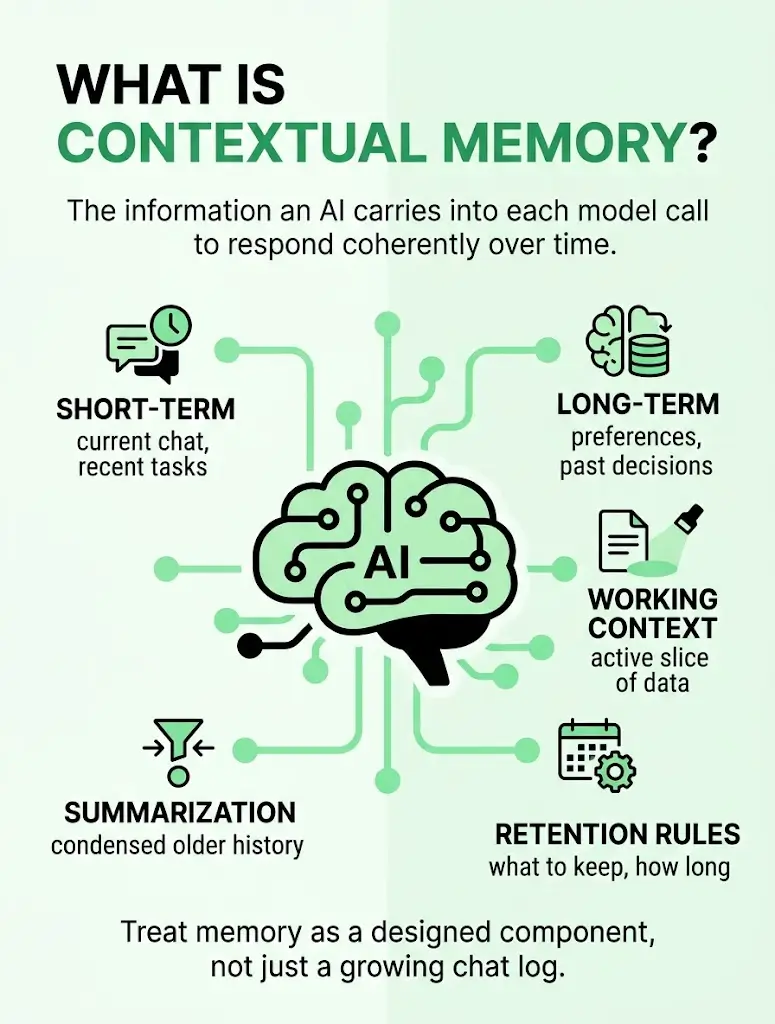
- Short-term memory: The current conversation, task state, and recent tool results.
- Long-term memory: Preferences, past decisions, and recurring facts stored outside the model.
- Working context: The selected slice of memory, documents, and instructions assembled for each call.
- Summarization: Compressed older history, so important details survive within the context limit.
- Retention rules: Clear decisions about what to store, for how long, and how users can review or delete it.
Good AI-native architecture treats memory as a designed component, not a growing chat log. Strong context engineering also lowers cost, since smaller, sharper prompts are cheaper and often more accurate.
How Should Tools and Data Be Connected?
Your data and tools are what make answers accurate and actions useful. Solid AI data infrastructure gives the model grounded, permission-aware access to what it needs.
For data:
- Ingestion and indexing: Clean, chunk, and embed documents, and keep indexes fresh.
- Retrieval with permissions: Check user access at query time, so people only see what they are allowed to see.
- Source citations: Return references so users can verify answers.
For tools
- Narrow, well-defined functions: Give each tool clear inputs, outputs, and limited permissions.
- Human approval: Require sign-off for sensitive actions, such as payments or deletions.
- Logging: Record every tool call for audit and debugging.
- Prompt injection protection: Treat retrieved text as untrusted data, never as instructions.
Connecting these pieces cleanly is where AI-native architecture either scales or becomes fragile, so test each connection on its own before combining them.
How Technexia Can Help
Designing the right foundation is easier with a partner who has done it before. At Technexia, we help businesses plan, build, and run AI-powered software. We work with you to define the layers your product needs, choose and route models, build AI data infrastructure that keeps your information secure and useful, and connect tools and workflows to your existing systems.
Our AI and technology services also cover AI workflow automation, so you can remove repetitive work while keeping people in control of important decisions. If you are shaping your own AI-native architecture, we can help you turn the plan into a system that holds up in production.
Conclusion
A strong AI-native architecture comes down to a few principles: keep layers modular, manage model calls like infrastructure, design memory on purpose, and connect data and tools with clear permissions. Start small, test each layer, and expand as your results justify it. If you would like a second opinion on your design or roadmap, the Technexia team is happy to talk it through.
Frequently Asked Questions
Do you need a vector database?
Not always. A vector store helps when you search large collections of documents by meaning, but small or structured datasets can often be handled with simpler search or direct database queries.
How do you avoid being locked into one model provider?
Place a thin abstraction layer between your product and the models, keep prompts versioned, and maintain an evaluation set so you can compare alternatives quickly.
How do you test an AI application?
Build an evaluation set of realistic inputs with clear scoring criteria, re-run it on every change, and add human review for tone and judgment. Include adversarial cases such as prompt injection.
How much does an AI-native system cost to run?
Cost depends on usage, model choice, and context size. A thoughtful AI application architecture controls spend through routing, caching, and shorter prompts, and per-feature cost tracking shows where to optimize.
Should you use one agent or a multi-step workflow?
Start with the simplest option that works. Fixed workflows are easier to test and predict, while agent loops suit open-ended tasks and need stronger guardrails and monitoring.