AI & Automation
Many companies start with public AI tools, but they soon face questions about privacy, control, and fit. That is why more teams ask what is a custom AI portal. In simple terms, it is a private web space built for your company, where employees use AI with your data and your rules. In this guide, you will learn how it works, how it differs from ChatGPT, and what your team can do inside one. We also cover how AI portal development usually works.
What Is an AI Portal?
An AI portal is a single, secure place where people access AI tools. A business AI portal is built for one company, with logins, roles, and rules that match how that company works. It connects AI to company knowledge such as documents, policies, and systems.
So, what is a custom AI portal? It is a version designed around your processes, your data, and your brand, rather than a generic tool. Typical parts include:
- Login and user roles
- An AI chat window and task tools
- Connections to company documents and systems
- Admin controls and settings
- Usage logs and reports
How Is a Custom AI Portal Different From ChatGPT?
ChatGPT is a general public tool. It is powerful, but it is not built around your company. A custom portal can provide a secure AI workspace where AI works with your data and follows your rules.
Here are the main differences:
- Data: A public tool starts with general knowledge, while a portal can connect to approved company documents
- Control: A portal offers admin roles, access rules, and activity logs
- Branding: A portal can carry your own name, design, and tone
- Workflows: A portal can link to your processes and approval steps
- Privacy: A portal can be set up to meet your data policies, but always check the terms of every provider involved
ChatGPT can still be useful, and many teams use both. Understanding what is a custom AI portal helps you see where each one fits.
What Can Employees Do Inside One?
Inside a portal, an internal AI assistant helps staff do daily work faster. Employees can:
- Ask questions about policies, products, and procedures
- Draft emails, reports, and proposals
- Summarize long documents and meeting notes
- Search across company knowledge in one place
- Prepare data and fill in forms
- Start approved workflows, such as support tickets or requests
Access depends on role, so people see only what they are allowed to see. This is the daily value behind what is a custom AI portal.
7 Smart Benefits of a Custom AI Portal
Teams that ask what is a custom AI portal usually want these benefits:
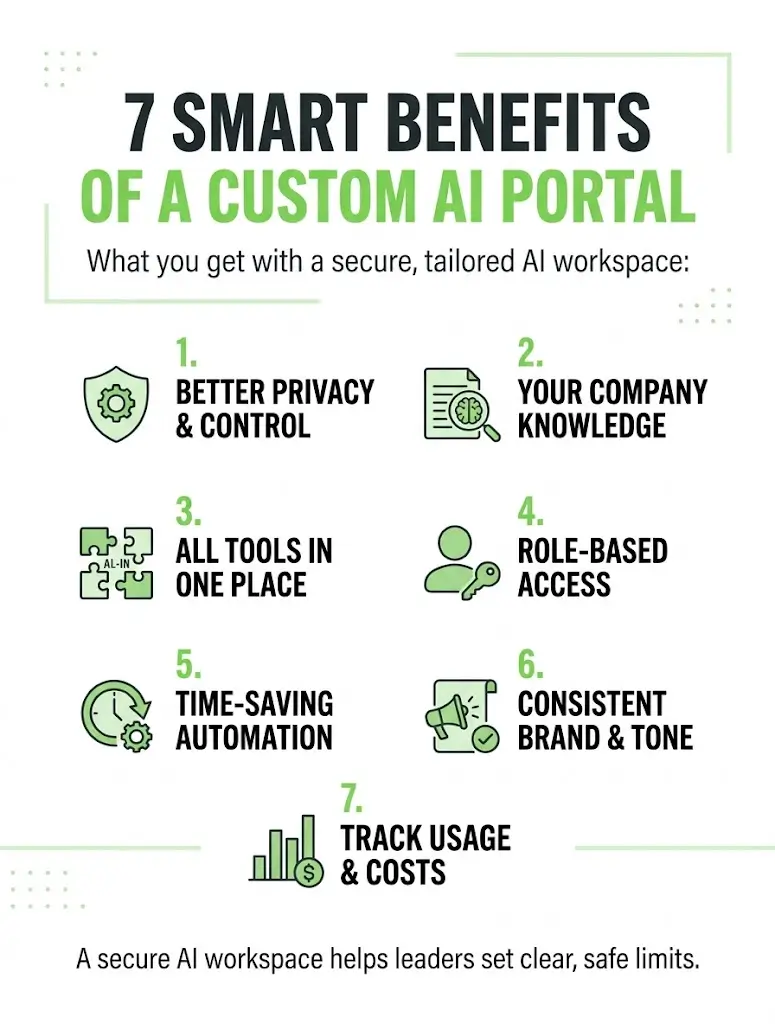
- Better privacy and control over how AI is used
- Answers based on your company knowledge, not only general information
- One place for many tools, so staff do not switch between apps
- Role-based access, so each person sees the right information
- Time savings on repeated work such as drafts and summaries
- Consistent brand and tone across everything the team writes
- Usage tracking and cost control, since a business AI portal gives managers one place to see how AI is used
A secure AI workspace also helps leaders set clear limits on what AI can and cannot do.
How a Custom Portal Is Built
AI portal development usually follows clear stages:
- Define the goals and the users
- List the data sources the portal should use
- Choose the AI model and tools
- Design access rules and security
- Build the portal and connect it to your systems
- Test with a small group
- Launch, train staff, and improve over time
Before you start, decide what a custom AI portal for your company is: its goals, its users, and its limits. A good internal AI assistant is set up to use only approved sources and to show where its answers come from.
Common Mistakes to Avoid
- Starting without a clear use case
- Connecting messy or outdated data
- Skipping access rules and permissions
- Removing human review for important decisions
- Forgetting to train staff
- Trying to build everything at once
A business AI portal works best when it starts with one or two use cases and grows from there. Most teams that struggle with what is a custom AI portal skip the planning stage.
Conclusion
A custom AI portal gives your team a private, controlled place to use AI with company knowledge. It is not a replacement for every public tool, but it adds privacy, structure, and fit. Start small, set clear rules, and choose a partner for AI portal development who understands your goals. Then your internal AI assistant can save time every day. So, what is a custom AI portal? It is AI made to fit your business.
Ready to explore a portal for your team? Contact our team today and get a clear, practical plan for your business.
Frequently Asked Questions
Is a custom AI portal the same as a chatbot?
No. A chatbot is mainly a chat window. A portal is a wider workspace with logins, roles, tools, and connections to company data.
Does a portal replace ChatGPT?
Not always. Many people ask what is a custom AI portal and whether it replaces public tools. Many teams keep using both, and use the portal for work that needs company data and control.
Is a custom portal more private?
It can be, when it is set up with the right access rules and data policies. A secure AI workspace still depends on good setup and trusted providers, so review the terms carefully.
How long does it take to build one?
It depends on the scope, the data, and the number of tools involved. A small pilot is usually faster than a full rollout.
Can it connect to our existing tools?
Often yes. Portals can connect to documents, email, customer records, and other systems, depending on what those tools allow.