
AI & Automation
Spreadsheets are often the first tool a growing business relies on, and for good reason. They are flexible, familiar, and free. But there comes a point where the same spreadsheet that once saved time starts costing it instead. Broken formulas, version confusion, and hours of manual updates are common signs that it is time to replace spreadsheets with software. This guide walks through the warning signs, the benefits of switching, and how to plan the move without disrupting your team.
Why Spreadsheets Work at First but Struggle Later
Spreadsheets are built for calculation, not for running an entire business. They work well for small tasks, simple lists, and one-person projects. The trouble starts as your data, your team, and your processes grow past what a single file was ever meant to handle.
When Do Spreadsheets Stop Working?
There is rarely one dramatic failure. Instead, small frustrations build up until the case to replace spreadsheets with software becomes obvious. Watch for these signals:
- Multiple people editing the same file and overwriting each other’s work
- Formulas breaking silently after a copy-paste mistake
- File sizes growing so large that the spreadsheet lags or crashes
- Reports taking hours to compile instead of minutes
- No clear record of who changed what, or when
- Different departments keeping separate versions of the “same” data
- New employees needing lengthy training just to use the file correctly
If two or more of these sound familiar, your spreadsheet has likely outgrown its job.
What Are Spreadsheet Limitations?
Even a well-organized spreadsheet has limits that no amount of formatting can fix. Common spreadsheet limitations include:
- No real-time collaboration at scale: Shared files slow down or conflict once many people work in them at once
- Weak data validation: It is easy to enter the wrong value with nothing stopping it
- No automatic workflows: Approvals, alerts, and reminders must be handled manually
- Limited security: It is hard to control exactly who can see or edit sensitive data
- Poor scalability: Performance drops as rows and formulas multiply
- Fragile formulas: A single accidental edit can break an entire calculation chain
- No audit trail: Tracking changes over time is difficult or impossible
- Manual integration: Connecting a spreadsheet to other systems usually means copying data by hand
These spreadsheet limitations are exactly what custom business software is designed to solve.
Should Businesses Build Custom Software?
Not every company needs a custom build right away. Off-the-shelf tools can work well for standard, common processes. But custom business software becomes the better choice when:
- Your workflow is unique and does not fit existing tools
- You need to connect several systems, such as your CRM, accounting, and inventory
- Compliance or security requirements demand tighter control
- You are paying for multiple subscriptions that only partly meet your needs
- Growth plans mean today’s spreadsheet will not survive next year’s volume
- You want a system that reflects how your team actually works, not a generic template
If none of these apply yet, a ready-made tool may be enough for now. If several do, it is worth exploring how to replace spreadsheets with software built around your specific process.
The Benefits of Making the Switch
Moving away from spreadsheets brings improvements across the business:
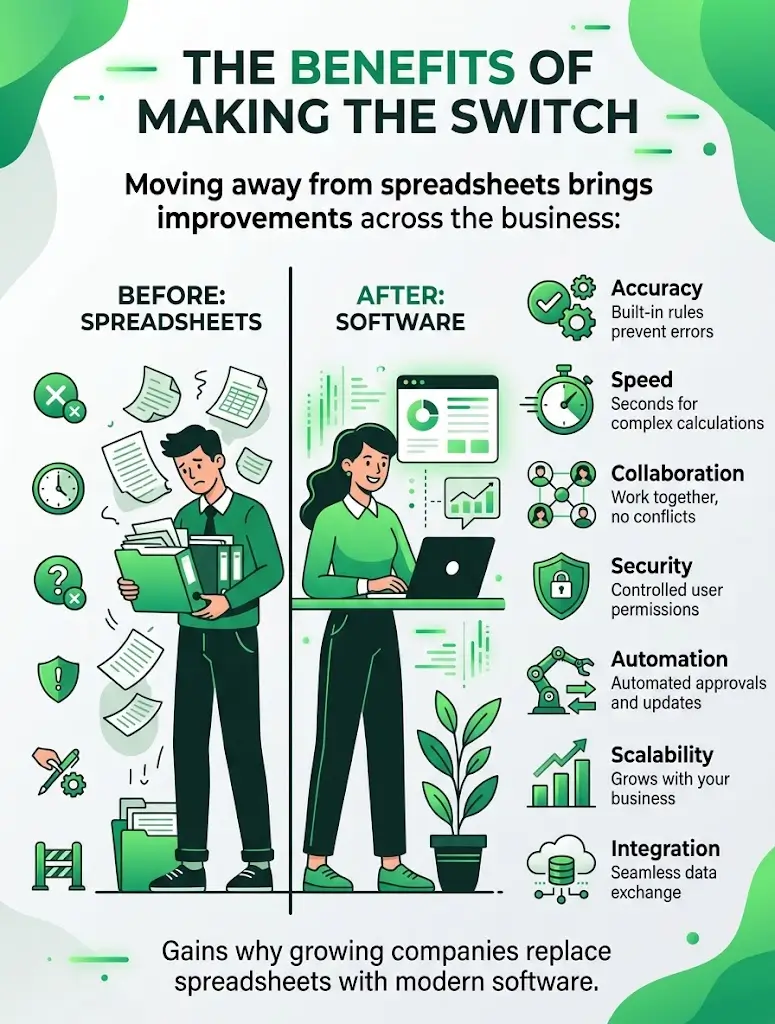
- Accuracy: Built-in rules stop invalid or incomplete data from being entered
- Speed: Reports and calculations that took hours now take seconds
- Collaboration: Teams work in the same system without version conflicts
- Security: Permissions control exactly who can view or edit each part of the data
- Automation: Approvals, notifications, and updates happen without manual follow-up
- Scalability: The system keeps working smoothly as data and users grow
- Integration: Information flows automatically between departments and tools
Together, these gains are why so many growing companies choose to replace spreadsheets with software rather than patching the same file year after year.
How Spreadsheet Automation Fits Into the Picture
Not every business is ready for a full custom build, and that is fine. Spreadsheet automation is often the middle step. Tools that connect to your spreadsheets can automatically pull in data, run calculations, and trigger simple actions, extending the life of your existing files while reducing manual work. This works well as a bridge, but it has a ceiling. Once your process needs real workflows, permissions, and integrations, spreadsheet automation reaches its limit, and moving to custom business software becomes the more reliable long-term investment.
How to Plan the Transition
Replacing a spreadsheet that your team relies on daily takes a plan, not just new software. Follow this approach:
- Map your current process: Document every step, formula, and decision point in the existing spreadsheet.
- List pain points: Note where errors, delays, or frustration happen most often.
- Define requirements: Decide what the new system must do, including reports, permissions, and integrations.
- Choose build or buy: Compare ready-made software against a custom solution based on your needs and budget.
- Migrate data carefully: Clean up duplicates and errors before moving historical data into the new system.
- Run both systems briefly: Keep the spreadsheet as a backup during the first few weeks to catch mistakes.
- Train your team: Give employees time and support to get comfortable with the new tool.
- Retire the spreadsheet: Once the new system is trusted, remove the old file from daily use.
Common Mistakes to Avoid
- Moving to new software without cleaning up the old data first
- Choosing a tool that does not match how your team actually works
- Skipping employee training and expecting instant adoption
- Underestimating the time needed for a smooth data migration
- Building custom software with no plan for future changes and support
How Technexia Can Help
Technexia is an AI-powered digital innovation partner that combines strategy, automation, data intelligence, and AI systems to build scalable digital ecosystems. If your team is ready to replace spreadsheets with software, our services cover the full process:
- AI & Data: AI portals, automation, data science, intelligent solutions, and smart systems that turn scattered spreadsheets into connected data
- Development: custom business software, web and mobile platforms, and integrations using WordPress, .NET, React, Shopify, and Webflow
- UI/UX Design: clean, intuitive interfaces that make switching from a spreadsheet feel easy rather than overwhelming
- Digital Growth: SEO, Google Ads, and analytics to support the business once your operations run on a stronger foundation
We work across industries including tourism and hospitality, real estate, education, transportation, and healthcare, building systems that fit how each business actually operates.
Conclusion
Spreadsheets are a great starting point, but they were never meant to run an entire growing business. Once errors, version conflicts, and manual work start piling up, it is time to consider a change. Map your process, define what you need, and choose the right path, whether that is spreadsheet automation as a bridge or a full custom build. Making the move to replace spreadsheets with software early saves far more time than waiting for a crisis to force the decision.
Ready to leave spreadsheet chaos behind? Contact Technexia today to discuss your process and get a tailored recommendation for your business.
Frequently Asked Questions
How much does custom business software typically cost?
Costs depend on complexity, the number of integrations, and ongoing support needs. A clear scope defined early helps keep the budget predictable.
Can historical spreadsheet data be transferred safely?
Yes, with careful planning. Data is usually cleaned, checked for duplicates, and tested in the new system before the spreadsheet is retired.
Will my team need extensive retraining?
Most well-designed systems are built to be intuitive, and short, focused training sessions are usually enough for staff to adapt quickly.
Is it risky to switch systems in the middle of a busy season?
It can be. Many businesses schedule the transition during a quieter period and run the old and new systems together briefly to reduce disruption.
How do I know if I need custom software or an off-the-shelf tool?
If your process is fairly standard, a ready-made tool may be enough. If your workflow is unique or involves several connected systems, a custom build usually serves you better long term.