

Automate Business Reporting With AI: 7 Proven Ways
Every week, teams lose hours copying numbers between spreadsheets, formatting slides, and chasing colleagues for updates. If you want to automate business reporting with AI, you can hand that routine work to software and spend your time on decisions instead. Done right, reports arrive on schedule, numbers stay consistent, and insights surface without anyone digging through raw data.
This guide explains what AI can do, how to set it up, and how to keep the results accurate.
Why Businesses Should Automate Business Reporting With AI
Manual reporting is slow and easy to get wrong. AI reporting automation connects your data sources, processes the numbers, and delivers finished reports without repetitive effort. The main benefits include:
- Time savings: Hours of weekly copy-paste work disappear
- Fewer human errors: Formulas and data pulls run the same way every time
- Faster insights: Trends and problems show up as soon as the data updates
- Consistency: Every team works from the same metrics and definitions
- Scalability: Adding a new region, product, or client doesn’t mean building a new report by hand
- Better decisions: Leaders get clear summaries instead of overwhelming tables
Can AI Generate Business Reports?
Yes. Modern AI tools can pull data from multiple systems, calculate key metrics, and write a readable narrative around the results. Automated data analysis goes beyond simple number crunching, because AI can compare periods, detect patterns, and explain what changed. Common reports AI can produce include:
- Weekly and monthly sales performance summaries
- Marketing campaign and channel reports
- Financial snapshots and expense breakdowns
- Customer support and satisfaction reports
- Inventory and operations updates
- Executive briefings that condense many reports into one page
This is why more teams choose to automate business reporting with AI rather than rebuild the same documents every month.
How to Automate Business Reporting With AI: Step by Step
A structured approach prevents messy results. Follow these steps:
- Define the goal and audience: Decide who reads the report, what decisions it supports, and which metrics matter most.
- List your data sources: Include your CRM, accounting software, ad platforms, website analytics, and spreadsheets.
- Clean and standardize the data: Fix duplicates, inconsistent names, and missing values before automating anything.
- Choose your tools: You will typically need a data warehouse or connector, a BI or dashboard tool, an AI model for summaries, and a scheduler.
- Build templates and logic: Set up the layout, calculations, and rules for how the AI should describe results.
- Schedule and distribute: Send reports by email, Slack, or a shared portal at the right time for each audience.
- Review and refine: Collect feedback and adjust the templates as your business changes.
How Can AI Summarize Dashboards?
Dashboards are powerful but can be hard to read at a glance. AI can turn charts and KPIs into short, plain-language explanations. It can:
- Read the key numbers and describe the story they tell
- Highlight unusual spikes or drops and flag possible causes
- Compare the current period to the previous one or to targets
- Answer natural-language questions such as “why did revenue dip last week?”
- Suggest follow-up actions based on the trends
To get useful summaries, give the AI context: metric definitions, target values, and the audience it is writing for. Summaries are a quick entry point if you want to automate business reporting with AI without rebuilding your existing dashboards.
How Should Reports Be Validated?
AI can write confidently even when the underlying data is wrong, so validation isn’t optional. Build these checks into your process:
- Reconcile totals against the source systems
- Spot-check samples of calculations by hand each cycle
- Set anomaly alerts for numbers that fall outside expected ranges
- Compare with previous periods to catch sudden, unexplained changes
- Document metric definitions so “revenue” or “active user” means the same thing everywhere
- Keep an audit trail showing where each figure came from
- Add human review for board reports, financial statements, and other high-stakes documents
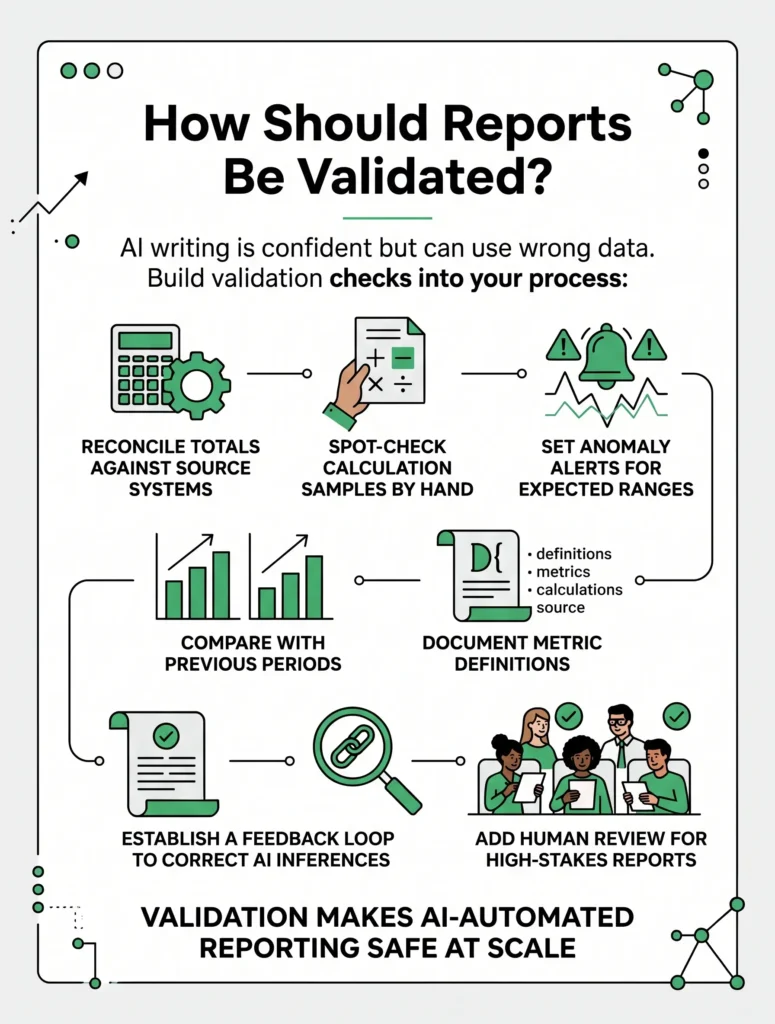
Validation is what makes it safe to automate business reporting with AI at scale.
Which Reports Should You Automate First?
Start where the payoff is highest, and the risk is lowest. Good candidates are reports that are:
- Recurring, such as weekly or monthly updates
- Based on structured data from reliable systems
- Time-consuming to build by hand
- Read by many people, so a small improvement is multiplied
Leave one-off strategic analyses and sensitive documents for later, once your process is proven.
Common Mistakes to Avoid
- Feeding messy, inconsistent data into the system
- Skipping metric definitions, which leads to conflicting numbers
- Trusting automated data analysis without any human checks
- Creating too many reports that nobody reads
- Leaving reports without a clear owner
- Overlooking access controls and data privacy
Avoiding these pitfalls is essential when you automate business reporting with AI.
How Technexia Can Help
Building reliable reporting takes strategy, engineering, and thoughtful design working together, which is where Technexia fits in. Technexia is an AI-powered digital innovation partner that combines strategy, automation, data intelligence, and AI systems to build scalable digital ecosystems. Our services support every stage of the process:
- AI & Data: AI portals, automation, data science, intelligent solutions, and smart systems that pull your data together and turn it into insight
- Development: custom web and mobile platforms, ecommerce builds, and integrations using WordPress, .NET, React, Shopify, and Webflow
- UI/UX Design: clean, intuitive dashboards and report layouts that people actually enjoy using
- Digital Growth: SEO, Google Ads, performance marketing, and analytics to track what drives revenue
We support industries including tourism and hospitality, real estate, education, transportation, and healthcare. If you plan to automate business reporting with AI, our team can design AI reporting automation that fits your tools, your data, and your goals.
Conclusion
Reporting should help you make decisions, not slow you down. The path is straightforward: choose your first reports, clean your data, connect your sources, let AI draft the analysis, and validate every output. Over time, you will automate business reporting with AI with growing confidence, freeing your team for strategic work.
Ready to turn scattered data into clear, automated insights? Contact Technexia today to discuss your reporting needs and get a tailored roadmap for your business.
Frequently Asked Questions
Do I need a data science team to get started?
Not necessarily. Many tools are built for non-technical users, though a specialist partner helps when you have complex systems or custom requirements.
Is it safe to use sensitive company data with AI tools?
It can be, provided you choose vendors with strong security standards, restrict access by role, and avoid sharing more data than the task requires.
How often should automated reports refresh?
It depends on the decision. Operational metrics may need daily or real-time updates, while financial and strategic reports are usually fine weekly or monthly.
Can small businesses benefit from this?
Yes. Even a small team can save hours each week by automating a few recurring reports, and starting small keeps costs manageable.
What if my data is scattered across many tools?
That is common. Connectors and integrations can pull data from different platforms into one place, and cleaning it first ensures the reports are trustworthy.